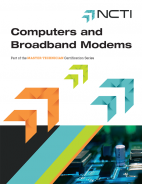
Computers and Broadband Modems

Course Overview

Computers and Broadband Modems introduces the fundamentals of personal computer
(PC) hardware and software in connection with DOCSIS® cable modems. Students
completing this course gain a thorough understanding of how the PC and modem
interface with the broadband cable network. Topics of study include a detailed
description of the major components in a PC and how they interact in the computer
system; a review of Microsoft Windows, Apple and Linux operating systems with
explanations of their respective features and vulnerabilities; an overview of mobile
devices and their operating systems; wireless networks, Wi-Fi and Bluetooth; computer
security and an introduction to DOCSIS cable mobiles and their installation.
Delivered online, the course includes videos and activities that are intended to help the
student retain key points of information. The videos are hosted by Mike Meyers, author
and holder of multiple IT industry certifications, whose colorful and humorous teaching
make the course both entertaining and effective. The Computers and Broadband Modems
course is an excellent reference for the student learning about computer concepts and
terminology. However, the cable modem lessons assume prior technical knowledge.

The estimated completion time for this course is 38 hours. The maximum allotted time is four months from enrollment.

identify the main components of a computer system

describe how to maneuver in the different Windows operating systems to perform common tasks

explain the meaning of 32- and 64-bit processing

explain the labeling of the different types of random access memory (RAM)

describe the basic input/output services (BIOS) in a computer system

describe the computer motherboard and the different available form factors

list important considerations when choosing a computer power supply

describe a traditional hard drive and a solid state drive

identify different types of media for storing and playing back data

explain how to configure common input devices in a computer system

understand the terms resolution, refresh rate and color depth as they relate to a computer’s video configurations

describe the terms Transmission Control Protocol (TCP), User Datagram Protocol (UDP) and ports in reference to Internet applications

describe the waveform audio file format (WAV) and musical instrument digital interface (MIDI) file formats

identify different laptop types and features that make laptops versatile

describe mobile device operating systems

identify how to keep computer systems in an optimal operating condition

connect and troubleshoot Wi-Fi networks

describe the DOCSIS standard and how it originated

describe the initialization and authorization process of a DOCSIS cable modem
effectively troubleshoot basic personal computer problems

recognize the capabilities and limitations of the different Windows, Apple and Linux operating systems

thoroughly educate new high-speed data customers on their wired and wireless connected equipment’s operation

understand the functions of the different computer modules and how they interact together

educate high speed data customers on options to protect their equipment from malware and other security related concerns

prepare students for customer questions that arise with respect to the different computer and mobile device operating systems.

have a more complete understanding of DOCSIS modems

understand how to complete advanced, high-speed data installations

earn three hours of college credit

receive an industry-recognized NCTI certificate of graduation

receive credit toward NCTI Master Technician Customer Premises Certification

Related courses

NCTI-Cover-Empty
NCTI-Cover-Empty
NCTI-Cover-Empty
NCTI-Cover-Empty
NCTI-Cover-Empty
NCTI-Cover-Empty
NCTI-Cover-Empty
NCTI-Cover-Empty
NCTI-Cover-Empty
Share this page: